

How Many TikTok Accounts Can You Have? Account and Device Limits Explained
For a straightforward setup, keep up to three TikTok accounts on one device. If you need more, use a second phone. Give every account its own email address, profile identity, and content plan. Keep the accounts from following or boosting one another.
Here is how to set up your accounts, keep them organized, and avoid the mistakes that make managing several profiles difficult.
Key Takeaways
- Plan for up to three accounts per phone as a practical setup recommendation. Add another device when you need more accounts.
- Give each account its own email address, profile identity, and content plan. Keep track of its device and recovery details.
- Create content for each account’s audience, check the active profile before posting, and avoid using your accounts to boost one another.
Want to manage accounts for different countries? TikTornado handles the technical setup so you can upload, schedule, and manage your content from one platform.
How Many TikTok Accounts Can You Have on One Device?
Use three accounts per phone as your working limit. If you are planning a larger setup, divide your accounts like this:
- 1–3 accounts: Use one phone.
- 4–6 accounts: Use two phones, with up to three accounts on each.
- 7–9 accounts: Use three phones, with up to three accounts on each.
Three per phone is our setup recommendation, not a confirmed universal TikTok cap. Some users report higher app limits.
For example, keep your personal account, fitness account, and clothing brand on Phone A. Put a fourth account on Phone B. Label the phones and record which account belongs on each one, so you do not have to guess where its login or drafts are stored.
You can start with a phone you already own. The reason to add another device is to organize a growing operation, not to replace every phone whenever you create a profile.
How to Set Up Multiple TikTok Accounts
- Prepare a separate email address for each account. Use inboxes you control and can keep accessing. Verify that you can receive messages before starting registration.
- Add the account in TikTok. Open Profile → your username at the top → Add account. Choose to sign up for a new account, or log in if the account already exists.
- Register with the correct email. If signing up by email, enter the new address. Reusing a social login already attached to an account may take you back to that existing profile.
- Give the profile a clear identity. Add its own username, recognizable profile picture, and bio explaining what it publishes. Make your profiles easy to tell apart before you start posting.
- Review contact syncing. If you want to keep profiles separate from your personal contacts, go to Settings and privacy → Privacy → Sync contacts and Facebook friends. Turn off syncing and remove previously synced contacts. Also review Suggest your account to others.
- Secure the login. Save a unique password in a password manager, enable two-step verification in the account’s security settings, and record its recovery email and assigned phone.
To switch accounts, return to your profile, tap the username at the top, and select the profile you want. Check the active username before every upload, comment, or message.
For standard accounts, TikTok allows an email address or phone number to be associated with only one account. You do not automatically need a new SIM card for each profile if you can register by email. Email and phone number rules
7 Practical Rules for Managing Multiple TikTok Accounts
1. Keep your accounts from following or boosting each other
If your goal is to build separate profiles, keep them from following one another. Public follows can connect identities you intended to keep apart.
Do not cycle through your accounts to like the same post, leave manufactured comments, or repeatedly watch your own videos to inflate views. Build each account’s audience independently. TikTok prohibits fake engagement and platform manipulation.
2. Post different content on each account
Do not upload the same video, caption, and cover to every profile. Give each account a clear audience and create posts for that audience.
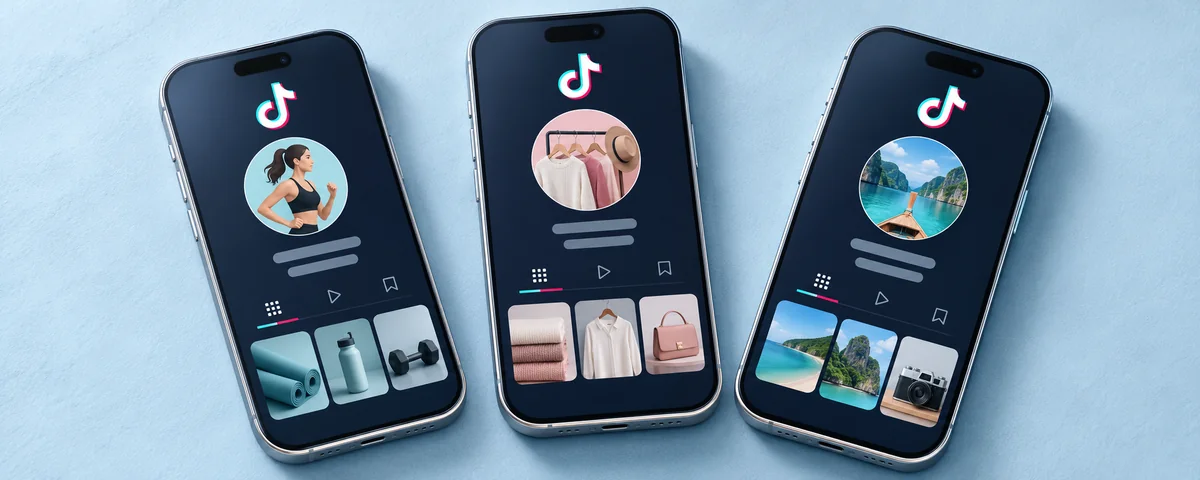
For example, use one profile for workout tutorials, another for clothing demonstrations, and another for personal updates. If you reuse footage you own, make it a distinct post with a different angle, opening, edit, and caption that suits the account.
Keep separate folders for each account’s videos, covers, and captions. Name the finished files with the destination account so you can identify the right upload immediately.
3. Assign each account a primary device
Keep your usual logins on the phone assigned to those accounts. Avoid passing the same login between several people and phones without tracking who has access.
Use a reliable connection. Do not keep changing VPN countries between posts as a growth tactic. A different IP address does not resolve a content restriction.
For a team, record the account owner, assigned device, recovery email, and people with access. This gives you somewhere concrete to start when a login or verification problem appears.
4. Finish setting up one account before creating the next
Verify the email, complete the profile, save the credentials, and prepare its first original posts. Then move on to the next account.
Browse the niche to understand its audience and content formats. Use that time for research. There is no need to invent a fixed number of likes, follows, or browsing days that supposedly unlocks permission to post.
5. Plan enough content for every account
Three accounts posting once a day require 21 distinct posts per week. Decide whether you can produce that before adding more profiles.
Create a calendar with the account, video file, caption, publish date, and approval status. Schedule the correct video to the correct profile, then check that it actually published.
If you cannot maintain the workload, reduce the posting frequency or the number of active accounts. Keep the schedule realistic for the content you can produce.
6. Keep recovery access under the right owner
For client or business accounts, use an email controlled by the account owner. Do not make a client’s only recovery route depend on a freelancer’s personal inbox.
Document who controls each email and verification method. When someone leaves the team, remove their access and update credentials where necessary.
Keep original video files outside TikTok too. Your drafts should not be the only copy of work you still need to publish.
7. Deal with warnings before adding more accounts
If a profile receives a warning, open Inbox → System notifications → Account updates and read the reason. For a post marked ineligible for the For You feed, open its analytics, review the eligibility notice, and appeal if the decision is wrong.
Do not move restricted activity onto another profile. Check the relevant Community Guidelines and resolve the issue on the affected account.
If you use TikTok Shop, do not use another account to place orders solely to inflate your own sales figures. Shop’s rules specifically address fake orders and manipulated engagement.
What to Do If You Cannot Add Another Account
Match the fix to the message you see:
- “Email or phone number already in use”: Use a different email for the new account. If you meant to access an existing profile, choose Log in instead of Sign up.
- “Maximum accounts reached”: Stop adding profiles to that phone. Use your second device for the next account.
- Verification required: Complete the check using the email or phone number attached to that account. If you no longer control it, use account recovery.
- “Too many attempts”: Stop retrying and follow any waiting period shown in the app. Repeatedly resubmitting the same request does not solve the underlying problem.
- Account restricted or banned: Open the notice, review the reason, and appeal if appropriate. Do not create a replacement account to get around an active restriction.
Before signing out or reinstalling the app, confirm that you can recover each account and save important draft material. If a problem persists, send in-app support the exact error, the affected username, and a screenshot.
Manage Country-Specific TikTok Accounts with TikTornado
Want to build a local audience in a specific country? TikTornado helps you create and manage TikTok accounts on real devices located in the countries you want to reach, with local SIM cards.
Upload and schedule content across multiple accounts, scroll manually, and use TikTok directly in your browser. We handle the technical setup so you can focus on content for each local audience.
A local setup supports your country-specific strategy, but it does not guarantee local views. The language, topics, and interests your content speaks to still matter.
Tell us which countries you want to reach, and we’ll help you explore the available setups.
Contact UsFrequently Asked Questions
Can you have multiple TikTok accounts?
Yes. You can keep separate profiles for your personal content, business, different niches, or clients. TikTok explicitly allows multiple accounts.
How many TikTok accounts can you have in total?
You can have more than three accounts in total. For a six-account setup, we recommend splitting them across two phones, with three accounts on each. Three per device is a practical management recommendation, not a total ownership limit.
How many TikTok accounts should you put on one device?
Plan for up to three accounts per phone. When you need a fourth, add a second device and assign the new profile to it.
Can you use the same email for multiple TikTok accounts?
No, not for standard TikTok accounts. Use a different email address for each profile you register by email, and keep access to every inbox for verification and recovery.
Can you use the same phone number for multiple TikTok accounts?
No. One phone number can be associated with one standard account. If you are adding another account, use a different supported sign-up method, such as a separate email, and complete any verification requested.
Will separate email addresses prevent a shadowban?
No. Separate emails keep account registration and recovery distinct. They do not protect a profile from restrictions caused by prohibited content, spam, or fake engagement. Use separate emails alongside original content and responsible account activity.
Do you need a separate phone for every TikTok account?
No. One phone can hold multiple profiles. Start with your existing device and add another when you need to expand beyond the three-account setup recommended here.
Will people find my other TikTok accounts?
They might, especially through contacts, follows, and mutual connections. Turn off unwanted contact syncing and review account suggestions. Even with those settings off, TikTok may still suggest profiles through interactions or mutual connections. Account suggestion settings
If one account is banned, will the others be banned too?
Not automatically under TikTok’s general account rules. However, other accounts can face enforcement if you use them to bypass the ban or continue violations. Appeal the original decision instead of moving the same activity elsewhere.
Can you move drafts between TikTok accounts?
No. Save the original video files outside the app and upload them to the intended account. TikTok also warns that drafts may be lost when you reinstall the app or move an account to another device. Draft storage guidance