
TikTok 0 Views: Why Your Posts Get Stuck and How to Fix Them
Having zero views on your TikToks is one of the most common issues creators face.
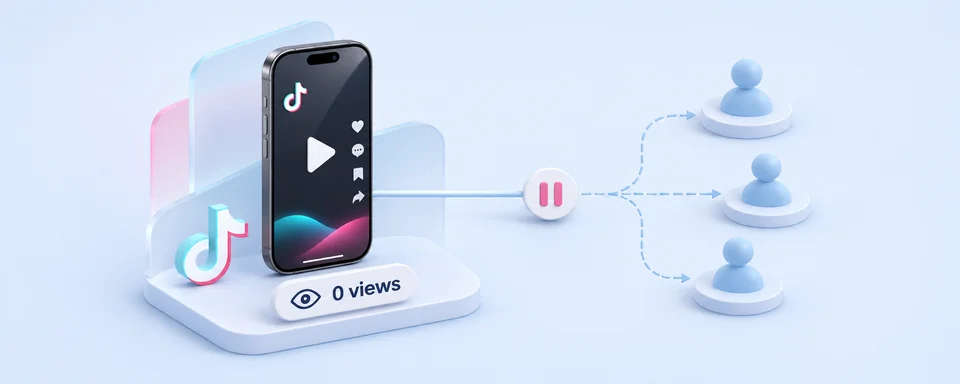
A TikTok video stuck at zero views needs a diagnosis before another upload. The problem could be a processing delay, a content restriction, a failed upload, or an issue with your account setup. Before you delete it or start over, work through the checks below.
This guide covers the possible causes, a practical troubleshooting sequence, and the habits that help prevent the same problem from returning.
Key Takeaways
- Zero views can come from a processing delay, a content restriction, or an account setup issue. First check that the upload finished and the post is public.
- Give the upload time to process, then try different content. If new posts receive views, revisit the stuck video and test a revised version.
- Check your account for warnings, keep your device and connection consistent, and contact support if several public posts remain at zero.
Want to manage TikTok accounts in different countries? TikTornado brings your accounts into one browser dashboard, with devices located in your target countries.
Why Your TikTok Has Zero Views
Sometimes it is a TikTok bug or a mistaken flag
The problem can be on TikTok’s side. A temporary bug or processing issue can leave a video stuck at zero views even when you have done nothing wrong. TikTok’s automated moderation can also flag a post by mistake. Therefore, a flag does not always mean your content actually broke a rule.
Your content may violate TikTok’s guidelines
If your video breaks TikTok’s Community Guidelines, TikTok may remove it or not start showing it in the For You feed. This can happen with content that includes indecent content, threats, hate speech, harassment, or false harmful information.
Your location signals may point to different countries
TikTok uses information such as your local internet connection, SIM card and system settings to help determine your location. These details do not always match. If these location signals do not match or suddenly change, TikTok might flag your upload.
TikTok may also recognize an IP address as belonging to a VPN or associate it with previous suspicious activity. VPNs and proxies often share IP addresses among many users, so someone else’s activity could contribute to your connection being flagged.
Your account is new or hasn't warmed up properly
TikTok actively blocks fake and spam accounts. Posting too many videos in quick succession from a new account may look like spam. If your activity is flagged, your posts may be reviewed and their distribution limited. Start by watching videos in your niche and interacting naturally, then begin posting gradually after a few days.
TikTok Zero Views Fix: Follow These Steps in Order
Check the post from another account
Before changing anything, confirm that the video is genuinely available. Check that:
- The upload finished.
- The post is public.
- Another account can open it.
- No processing, review, or restriction notice appears.
Let a fresh upload finish processing
Let the upload finish processing and wait a few hours. If it still has zero views after six hours, continue with different content. The original upload may have been flagged. Check whether your next posts receive views. If they do, return to the stuck upload in step 3.
Repair a stuck upload only after publishing works again
If fresh videos receive views while an earlier post remains at zero, test a revised version of that post.
Save the original file first. Do not delete the only copy, and preserve any restriction notices you may need for an appeal.
A practical revision can be small:
- Remove a pause or unnecessary gap.
- Correct a caption or editing mistake.
- Add the title and captions again.
- Write a fresh, accurate description.
- Publish the revised file once and observe the result.
Do not turn this into an endless delete-and-repost cycle. Small edits cannot resolve missing copyright permissions or guarantee that a restriction disappears.
Run an account check and inspect the affected video
In the TikTok app, go to Profile → ☰ Menu → TikTok Studio → Account check (under More tools).
Review the results and open any warnings to see which posts or account features are affected.
Keep a screenshot before editing or removing anything. If you need support, the actual notice is more useful than saying the account is “shadowbanned.”
Use your actual location
If no content issue explains the problem, review your technical setup. Turn off your VPN and use your normal internet connection in your actual location. Keep your device and connection consistent while you test.
Want to reach audiences in other countries? With TikTornado, you can manage multiple TikTok accounts across different countries from one browser dashboard. Upload and schedule your content on devices located in your target countries.
Ask support to check recommendation eligibility
If your TikTok is not getting views across several public uploads, prepare a support case rather than continuing to guess.
In the TikTok app, go to Profile → ☰ Menu → Settings and privacy → Report a problem. Select the relevant topic and follow the suggested steps. If the issue remains, tap No under “Is your problem resolved?”, then Need more help? to contact support. If Report a problem is not listed directly, open Help Center and look for it there.
Include:
- Your username.
- Links to the affected videos.
- Publication dates and times.
- Screenshots showing zero views.
- Account-check results.
- A short screen recording, if it explains the problem better.
- The tests you have already completed.
If the reply simply repeats general advice, follow up within the same case:
I have completed those checks, but new public uploads still remain at zero views. Can the team responsible for recommendation eligibility review the account and affected posts?
The important detail is the request for a specific review. A generic complaint about “views” may not clearly communicate that your videos are receiving no distribution at all.
Escape zero view jail with TikTornado
An inconsistent location setup contributes to account restrictions or zero views. TikTornado handles the technical setup with devices located in your target countries and warmed-up profiles ready to post. Upload and schedule content across countries from one platform.
Contact Us